Happy Valentine's Day from me and the folks at MyMemories!
If you are ready to jump head first into the world of digital scrapbooking, use my code, STMMMS46094, when your order MyMemories Suite. You'll get $10 off AND $10 in digital downloads to get you off to a strong start!
Showing posts with label MyMemories Suite. Show all posts
Tuesday, January 31, 2012
Valentine's Card Freebies!
3:43 PM
Posted by
Simply Sara
Sometimes you just want to create! Sometimes you want to give a homemade gift from the heart! Sometimes, your intentions are bigger than your busy schedule allows! Am I right?
MyMemories is here for you! Enjoy this free tutorial and these free Valentine's card freebies to go with it! Click on the images below to go to the download page.
Tuesday, January 3, 2012
Gettin' Digi With It: Christmas Tree Ornaments
12:01 PM
Posted by
Simply Sara
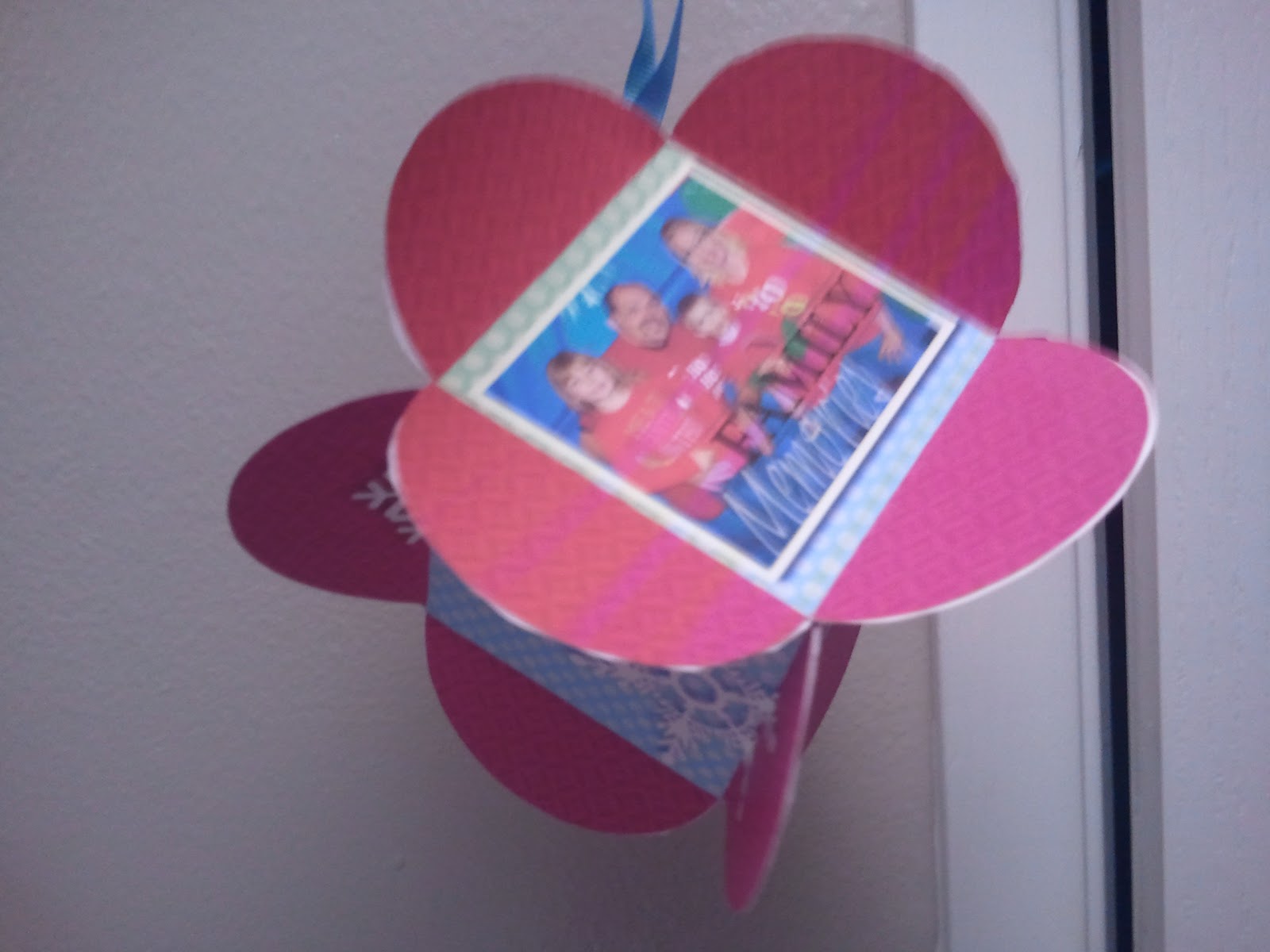
Now that these ornaments have been gifted, I can finally post about them!
I used MyMemories Suite. I joined 4 circular punches, with a square in the middle (it's important to line them up correctly, or they won't match up come glue time.
I then filled the circles with one background paper and the square with another. I then copied the page 5 times for a total of 6 images. I then imported pics from throughout the year off of my friend's Facebook page to commemorate the year.
I printed the pages out on card stock and cut out the shapes. I then used a bone folder to fold at the edges of the squares. I glued the half circles together with glue stick and used a ribbon as the ornament hanger. I played around with the arrangement first by paper-clipping the half circles together before gluing.
One of my goals this year is to do one YouTube video per month, so I will make a tutorial when I get home from the U.K., where I am currently awaiting the birth of my nephew.
I used MyMemories Suite. I joined 4 circular punches, with a square in the middle (it's important to line them up correctly, or they won't match up come glue time.
I then filled the circles with one background paper and the square with another. I then copied the page 5 times for a total of 6 images. I then imported pics from throughout the year off of my friend's Facebook page to commemorate the year.
I printed the pages out on card stock and cut out the shapes. I then used a bone folder to fold at the edges of the squares. I glued the half circles together with glue stick and used a ribbon as the ornament hanger. I played around with the arrangement first by paper-clipping the half circles together before gluing.
One of my goals this year is to do one YouTube video per month, so I will make a tutorial when I get home from the U.K., where I am currently awaiting the birth of my nephew.
Friday, December 16, 2011
Freebie Friday: Digi Scrapping Papers & Elements!
8:00 AM
Posted by
Simply Sara
I am slowly but surely getting rid of my old school scrap-booking stuff. I just know I will never use it. I give some of it to my soon-to-be-three year old for her art box, a little at a time, and give some of it away. I am a full fledged digital-scrapbooking convert and I'm here to spread the word!
Benefits of digital scrapbooking:
Click the image below to download the freebies. Please comment with a link to your work! I want to see what you've done with it.
Happy Scrapping!
Benefits of digital scrapbooking:
- Cheaper: Supplies are much cheaper and can be reused infinite number of times. You don't have to pay to have your digital images printed before you can scrapbook.
- Flexible: If you make a mistake or don't like the way something looks, it's easy to change it.
- Convenient: Your pics are already in digital format anyway! Plus, with Quick Pages, scrapbooking a two page layout goes from taking HOURS to MINUTES!
- Duplicatable: Design the book once, and print multiple copies for friends and family members.
Click the image below to download the freebies. Please comment with a link to your work! I want to see what you've done with it.
Happy Scrapping!
Friday, December 9, 2011
Freebie Friday: Digi Scrap Fodder
11:37 AM
Posted by
Simply Sara
I was converted to digital scrapbooking by my dear friend, Jen, also known as J.Ho. We fell in love with the flexibility of it all. We started out creating pages in Microsoft Publisher because neither of us have PhotoShop. We learned the joys of digital freebies and QUICK PAGES! OMG! Quick Pages are a blessing from heaven!
Quick Pages are pre-made layouts, ready for you to plop your pictures right into and VOILA, you have a beautiful scrapbook page in minutes. It takes longer to select your pics than it does to actually make the page! I love it!
Jen is way more creative than I am, so I rely HEAVILY on quick pages and digi-scrap kits of all kinds.
I have a long distance friend via Jen, named Jenni. I am blessed with many Jennifers in my life! Jenni's blog, Jah-Just Jennifer gaveaway MyMemories Suite and I was the winner! Now I truly believe I can accomplish my scrapbooking goals in 2012:
Well, what about this freebie I speak of in the title of this post??? Well, MyMemories has graciously provided me with some freebies to spread the love and hopefully create some more digi-scrapping converts! It doesn't matter if you use MyMemories, My Digital Studio, PhotoShop, Publisher, GIMP, or another application. These files are in .png and .jpg format. You will receive:
Here is what I created with this freebie:
Click on either example above to get your freebies!
Quick Pages are pre-made layouts, ready for you to plop your pictures right into and VOILA, you have a beautiful scrapbook page in minutes. It takes longer to select your pics than it does to actually make the page! I love it!
Jen is way more creative than I am, so I rely HEAVILY on quick pages and digi-scrap kits of all kinds.
I have a long distance friend via Jen, named Jenni. I am blessed with many Jennifers in my life! Jenni's blog, Jah-Just Jennifer gaveaway MyMemories Suite and I was the winner! Now I truly believe I can accomplish my scrapbooking goals in 2012:
- Scrap as I go through the year, practically real time, as things happen so I will have a beautiful year in review by the end of the year.
- Catch up on the Lovely Miss M's scrapbook! I can't BELIEVE how many pics we have of this child! She's nearly three, so I'm way behind. I have some pages done, most of which I'd like to redo.
- Create a digital scrapbook of my WEDDING. We celebrated five years of marriage in November, but what's the rush, right?
Well, what about this freebie I speak of in the title of this post??? Well, MyMemories has graciously provided me with some freebies to spread the love and hopefully create some more digi-scrapping converts! It doesn't matter if you use MyMemories, My Digital Studio, PhotoShop, Publisher, GIMP, or another application. These files are in .png and .jpg format. You will receive:
- 2 Quick Pages
- 2 Coordinating papers used to make the quick pages
- 7 elements coordinating with the quick pages and papers
Here is what I created with this freebie:
Click on either example above to get your freebies!
Saturday, December 3, 2011
2011 Christmas Card Drafts
1:55 PM
Posted by
Simply Sara
Now that my family has attended the annual cookie parted hosted by none other than the lovely J.Ho (of Mom Rocks Mealtime fame) and her sweet family, I am now able to play around and create my family's annual Christmas card. The two traditions go hand in hand. Jen sets up a photo booth and takes a picture of each family as they come in. I have been using this family photo as the photo basis for my Christmas cards.
This year, I used MyMemories Suite to create the options I will present to my husband. Remember, you can use my code: STMMMS46094 at checkout for $10 off the software, plus $10 in free digital downloads on the site. I used a set of 5x7 Quick Pages to create my cards. I added the borders to the first two.
I prefer the sentiment "Merry Christmas" to "Happy Holidays," so I tried to tweak the landscape option:
From the looks of things now that I've actually uploaded these, I need to shift the QuickPage a little bit so the right side doesn't get cut off. Please comment with your favorite! If you have the MyMemories Suite already and make your Christmas cards with it, post a link and I'll check it out! Even if you use other software, such as PhotoShop, or MyDigital Studio, please share your digital handiwork!
Happy Crafting!
This year, I used MyMemories Suite to create the options I will present to my husband. Remember, you can use my code: STMMMS46094 at checkout for $10 off the software, plus $10 in free digital downloads on the site. I used a set of 5x7 Quick Pages to create my cards. I added the borders to the first two.
I prefer the sentiment "Merry Christmas" to "Happy Holidays," so I tried to tweak the landscape option:
From the looks of things now that I've actually uploaded these, I need to shift the QuickPage a little bit so the right side doesn't get cut off. Please comment with your favorite! If you have the MyMemories Suite already and make your Christmas cards with it, post a link and I'll check it out! Even if you use other software, such as PhotoShop, or MyDigital Studio, please share your digital handiwork!
Happy Crafting!
Friday, December 2, 2011
Christmas Pressie Sneak Peek!
12:42 PM
Posted by
Simply Sara
You may recall that a while back, I won MyMemories Suite digital scrap-booking software from Jah-JustJennifer. I've posted some of the pages before. I am happy to report that I can now offer my readers a code for $10 off the software AND $10 in free digital downloads from the MyMemories site: STMMMS46094.
One thing I LOVE about MyMemories Suite is it is SO easy to use! I recently upgraded to the latest version and received $10 in free digital downloads. I used my credit to purchase a 2012 calendar template and was able to whip out Christmas gifts for hubby and grandparents in just a few hours. It would have gone MUCH faster if my computer was up to the task, but I'm working on that!
Here is a sneak peak at some of the pages:
I needed more pics in July than the layout allowed, so Just added them in! No problem!
A friend of mine, who also makes calendars for Christmas, suggested putting a picture of the face of the person whose birthday it is on their actual birthday! Great idea, but I wasn't willing to take the time this year. Maybe next year I'll add that little upgrade.
Happy Crafting!
One thing I LOVE about MyMemories Suite is it is SO easy to use! I recently upgraded to the latest version and received $10 in free digital downloads. I used my credit to purchase a 2012 calendar template and was able to whip out Christmas gifts for hubby and grandparents in just a few hours. It would have gone MUCH faster if my computer was up to the task, but I'm working on that!
Here is a sneak peak at some of the pages:
I needed more pics in July than the layout allowed, so Just added them in! No problem!
A friend of mine, who also makes calendars for Christmas, suggested putting a picture of the face of the person whose birthday it is on their actual birthday! Great idea, but I wasn't willing to take the time this year. Maybe next year I'll add that little upgrade.
Happy Crafting!
Wednesday, November 2, 2011
Trick Or Treating!
5:24 PM
Posted by
Simply Sara
Thanks for Mom Rocks Mealtime (our kiddos are bestest buds!), Free Digital Scrapbooking, Jah-JustJennifer (she turned me on to MyMemories...I won it on her blog), and MyMemories Suite, I was able to whip up this layout in the thirty minutes from when I gave up on my work project (it had already long since given up on ME!) and picking up my munchkin from pre-school.
0
comments
Labels:
Digital Scrapbooking,
Free Digital Scrapbooking,
Mom Rocks Mealtime,
MyMemories Suite,
Trick-or-Treating
Bookmark this post: |
Wednesday, October 26, 2011
My Memories: No Faces Challenge
4:32 PM
Posted by
Simply Sara
I recently won a copy of the MyMemories Suite digital scrap booking software from a contest at Jah-JustJennifer.
I became a fan of the MyMemories Facebook page and have been having LOTS of fun learning new techniques. The one I'll share today is from the blog. It's a No Faces Allowed Challenge! Let me know what you think! I am thinking I might go back and put a frame on the black and white image. There's just so much WHITE from my wedding gown, I think it's a little distracting. Feel free to give me feedback! I'm learning.
Subscribe to:
Comments (Atom)